Changing Activity
 ChatGPT
 Claude.ai
With ConnectProf, you can change the activity of your products and facilitate their management.
Click on the "Products" page to change the activity.
Your products will be listed. If you wish, you can change the activity status on sub-product basis or product basis.
If you want to change the activity of your sub-product, you can make changes by opening the detail window of the product whose activity you want to change.
If the activity field is blue, your product will be active and open for sale. If it is grey, the product will be inactive and closed for sale.
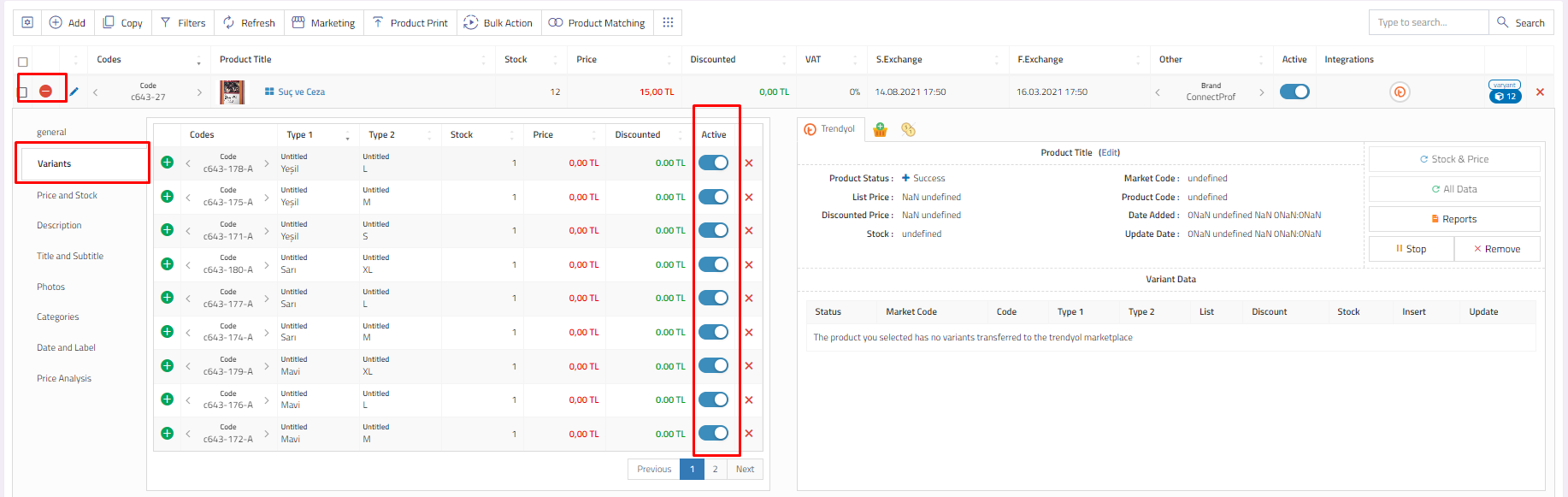
If you want to change the main product activity, you can make changes in the "Activity" column.
If the activity field is blue, your product will be active and open for sale. If it is grey, the product will be inactive and closed for sale.

