Add Photo from File
 ChatGPT
 Claude.ai
With ConnectProf, you can add photos from the file to your products.
To add a photo, open the editing window of the product you want to add a photo from the products page.
The product editing window will open.
Click on the product photos tab.
On the page that opens, you can preview product photos, photos, add as file and add as link.
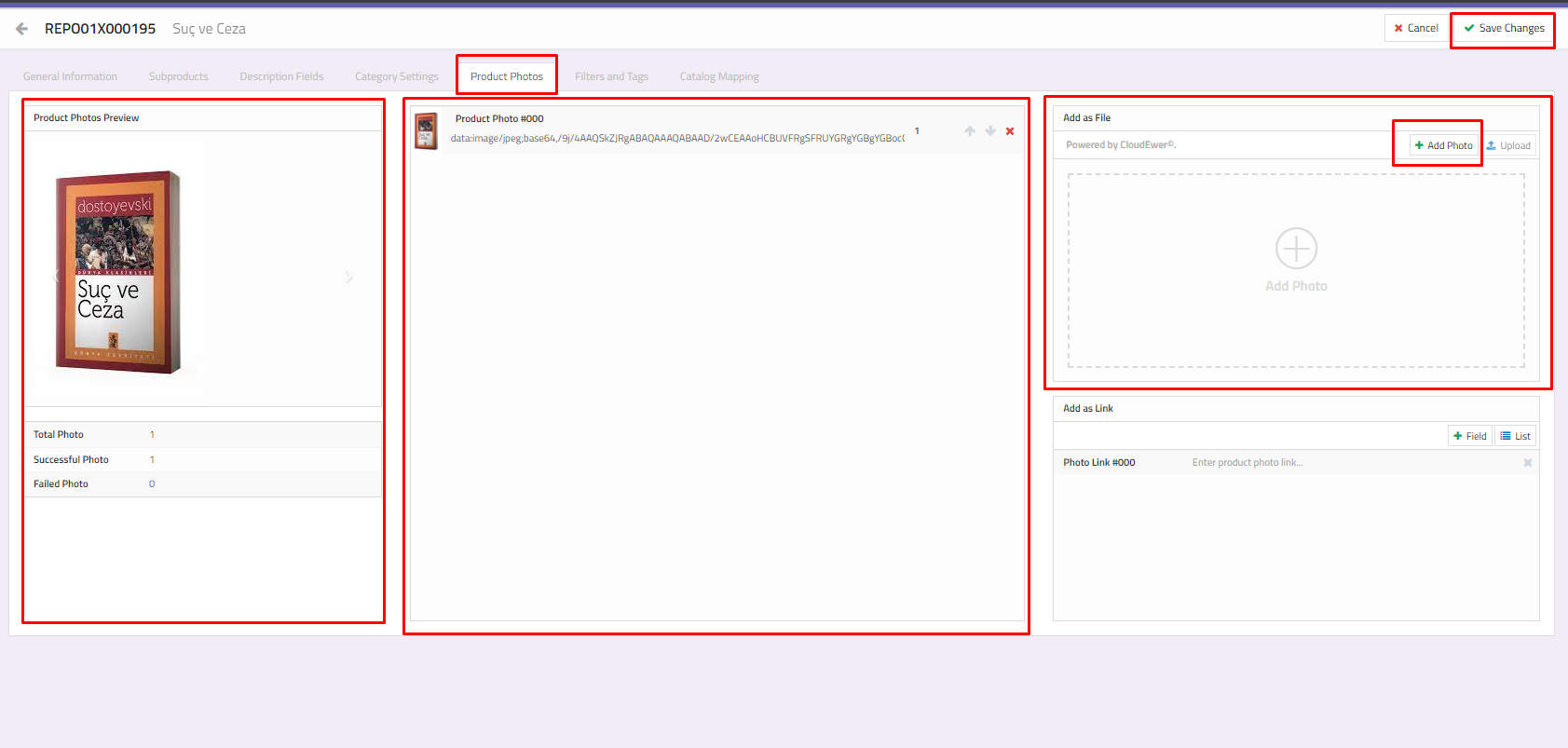
Product Photos Preview : It is the preview area of the photos you have added. You can review the total, successful and unsuccessful photo additions.
Photos : It contains the photos you have added. You can also delete images if you wish.
Add as File : You can upload the images on your computer as a file.
To add photos from the file, click the "Add as File > Add Photo" button.
Select the relevant image on your computer and click the "Upload" button.
The photo upload process will be completed.
If your information is correct, click the "Save Changes" button.
