Connectprof Homepage - Marketing Outputs
 ChatGPT
 Claude.ai
With ConnectProf, you can get XML outputs suitable for different platforms such as Googleshopping, Related Marketing, Facebookmarketing, Cimri, Akakçe, Richrelevance, Criteo, RTB House, ReklamStore, Digitouch, standard CSV-XML and epey.
In this way, you can send your products in a way compatible with marketing platforms, and with our advanced xml module, you can create xml output in the structure you want to your dealers.
NOTE : Creating XML output in different structures works depending on the licence. If you have a licence, you can create a support request to activate it. If you do not have a licence, you can contact the sales representative for detailed information on the subject.
You can access the list of outputs of the created structures from the Admin Panel > Marketing Outputs page.
When you click on it, it will redirect to the "Catalogue Special Output List" page.
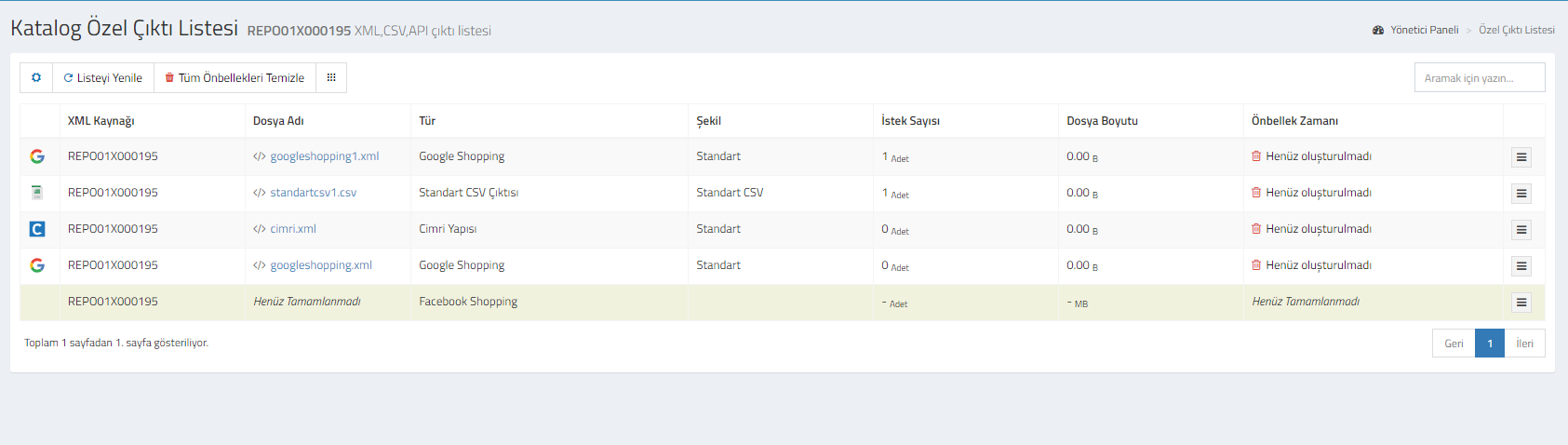
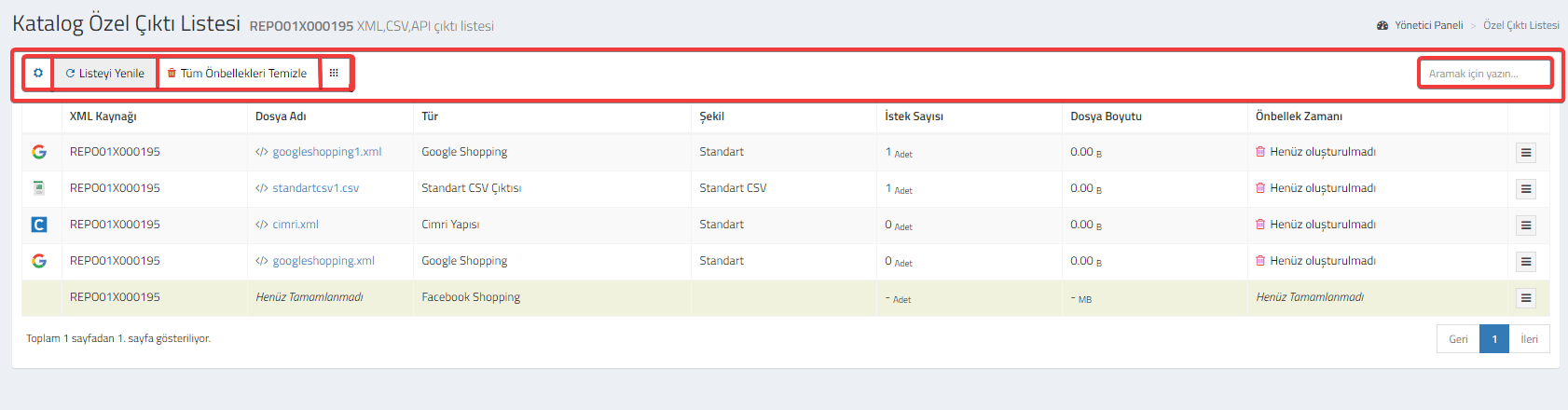
Catalogue Special Output List Button Functions
Setting : You can select the fields you want or do not want to appear in the special output list. The fields you activate will appear in the special output list, the ones you deactivate will not appear.
Refresh List : Refreshes the Custom Output List.
Clear All Cache : You will be able to update the XML link you created every 10 minutes. If you want to update it in less than 10 minutes, you can use the clear cache option.
Menu : You can use it for quick access to other pages. When clicked, you can switch to pages such as Product Catalogue, Category Settings, Order List, Import, Export, Custom Output List and Package Purchase.
Search : You can use it to search between links.
XML Source : This is the REPO field from which XML is created. If more than one catalogue structure is used, you can check from which REPO XML is created.
File Name : It is the structure of the generated special output. You can go to the address by clicking on it, select all, copy and preview.
Type : It is the type of the generated custom output.
Shape : The name of the generated custom output structure.
File Size : is the size information of the created output.
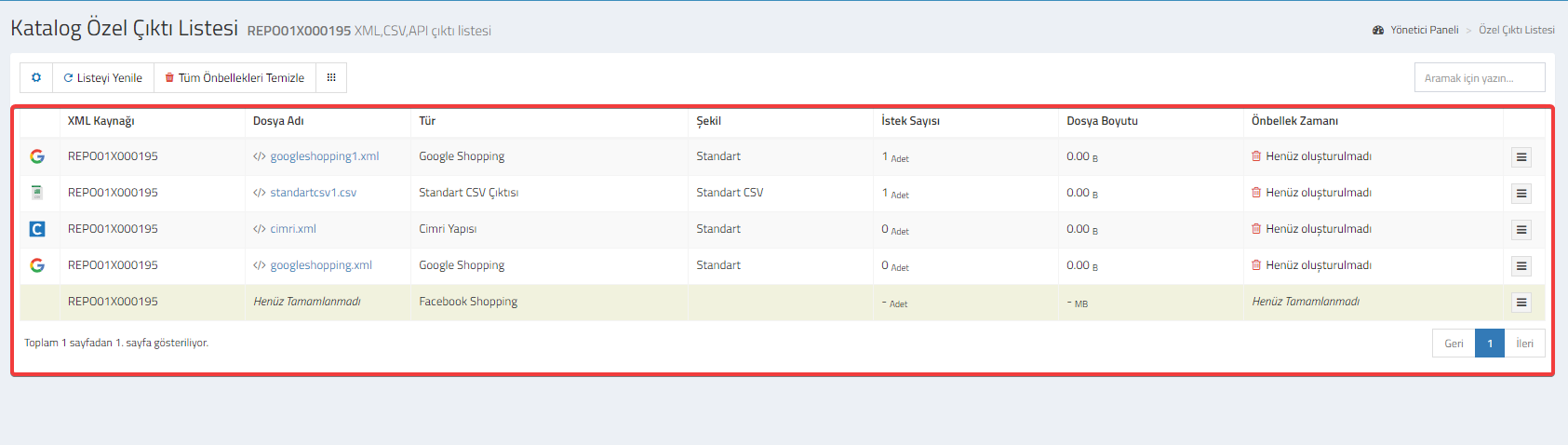
Number of Requests : The number of requests made.
Cache Time : Information about whether cache is created or not.
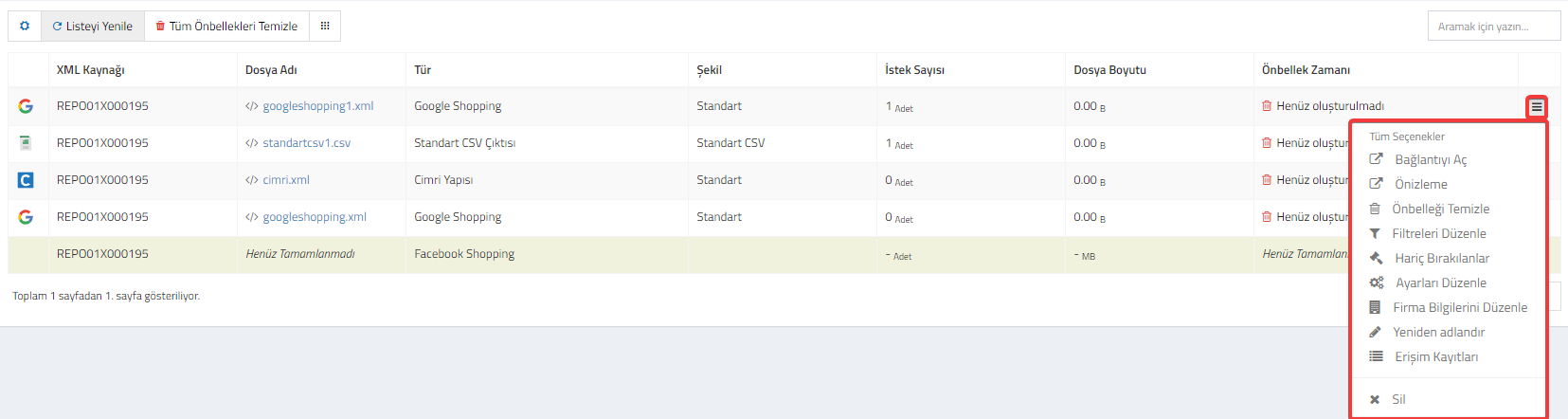
Options : When clicked, the fields where you can edit the special output will open.
- Open Link : Opens the Custom Output link.
- Preview : It is the preview area of the Custom Output List.
- Clear Cache : Clears the cache of the Custom Output List.
- Edit Filters : When clicked, you can create brand-model, category, price, stock, label, additional field and date filters.
- Exclusions : Excludes selected products from XML.
- Edit Settings : These are the settings you added while creating custom output. You can edit the settings by clicking on them.
- Rename : You can rename the file name.
- Access Records : It is the user information that makes XML access. When clicked, a window with request date, location, user information and ip addresses will open. You can make a detailed examination.
- Delete : Deletes the selected XML link.
- https://tekrom.hedles.net/images/ConnectProf/Marketing/se%C3%A7enekler.png