Flexible Inventory Definition to ConnectProf Integration
 ChatGPT
 Claude.ai
By defining ConnectProfa Flexible Stock, you can provide different stock transfer to each marketplace.
For the flexible stock definition process, firstly, stock areas must be opened from the Tsoft management panel and stock quantities must be determined.
Tsoft Flexible Stock Identification
In order to add flexible stock to ConnectProfa, firstly, stock determination process must be done from Tsoft panel.
With this process, you can offer the product with 10 stocks on Trendyol for sale with 5 stocks on Amazon.
Different stock display on country basis works depending on the "Warehouse Stock" licence.
If you have a licence, you can create a request to our support team to activate it. If you do not have a licence, you can get detailed information by contacting your sales representative.
In addition, since transactions are made from e-export pages, you must also have "E-Export" licences.
After activating your licence, you can show different stocks based on country by following the steps below.
You must activate as many stock areas as you want to use in the products on your site. To activate the stock area, click on the "Sections > E-Export > Flexible Price" page.
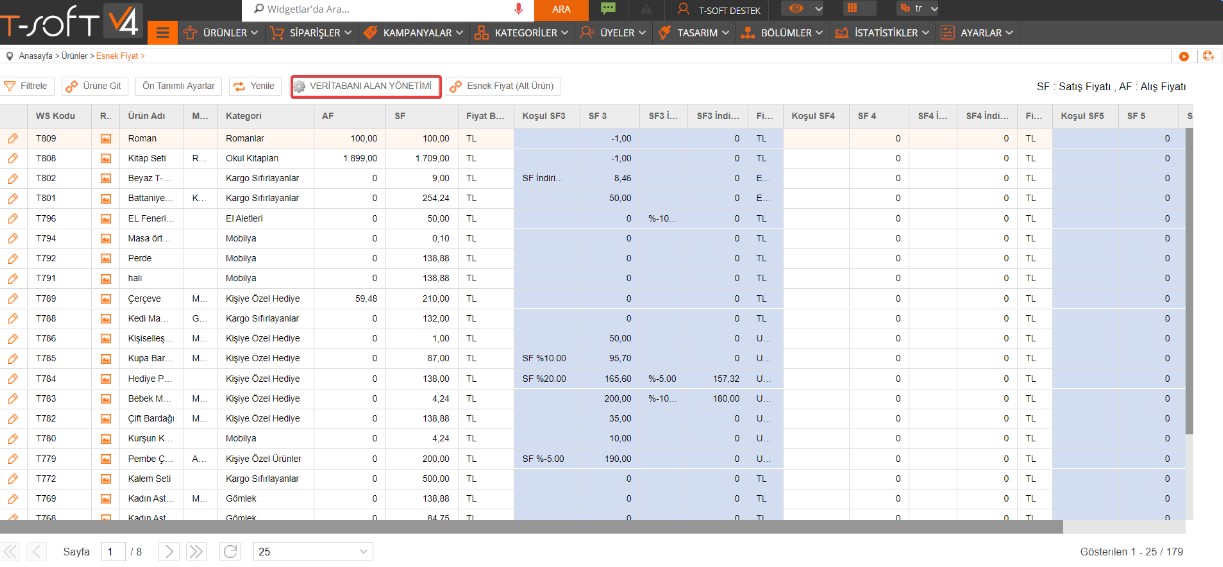
On the page that opens, click on the "Database Field Management" button.
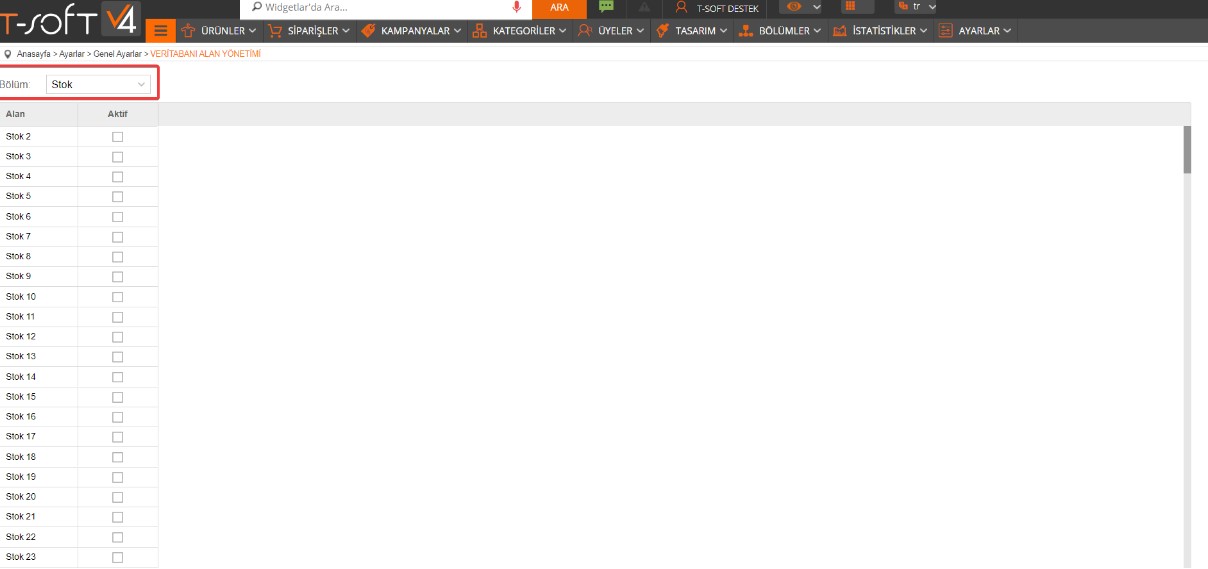
Select "Stock" among the options and activate as many stock areas as you want to use. There are 20 stock fields that you can use in total. You can determine your stock quantities from this field.
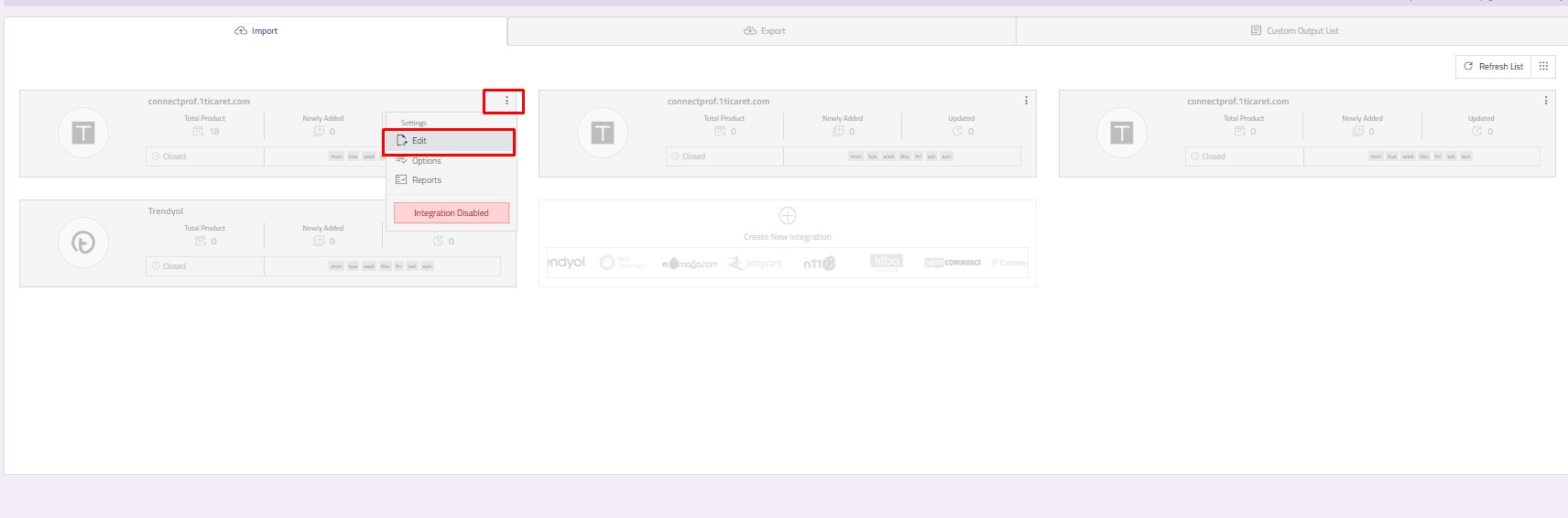
To transfer the flexible stock fields you have defined in ConnectProfa Tsoft, click on the import page from the ConnectProf panel.
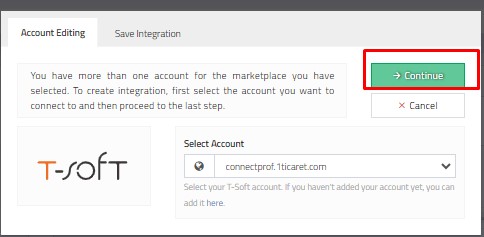
Integrations will be listed. Select the Integration you want to process and click Menu > Edit.
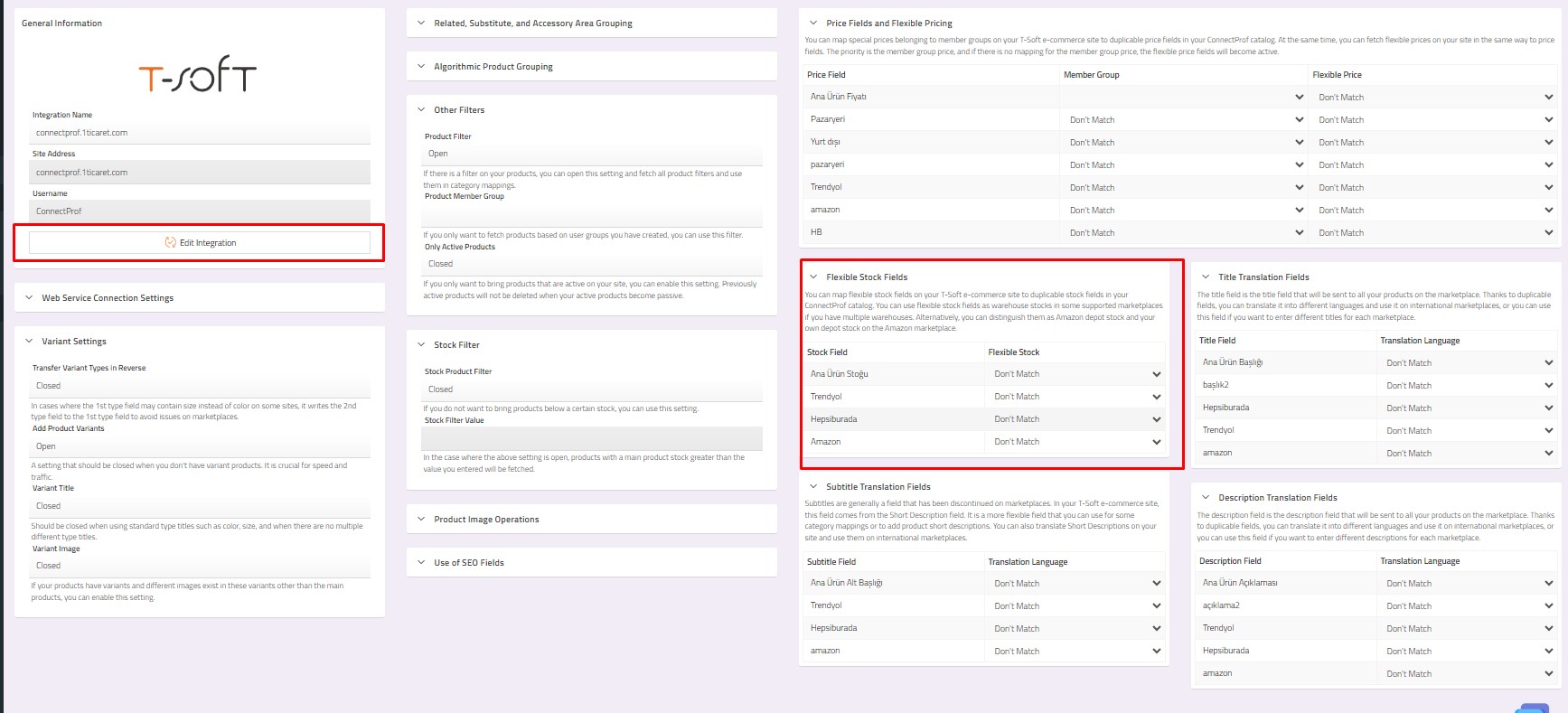
Click for detailed information about adding Flexible Inventory in Tsoft administration panel.
Click for detailed information about field editing from ConnectProf Admin panel.
After completing the process, click "Save Integration".
You can request an update from the support team for your stocks to be reflected on the panel.
