Connectprof Order Integration Editing - Shipping
 ChatGPT
 Claude.ai
Customers who purchase products from the e-commerce site start to wait for cargo after the purchase. The perception of cargo companies in customers affects the conversion of shopping into payment.
For example; If a person who has previously purchased a product online has had a problem with a cargo company, he does not want to choose that cargo company again. In addition, some customers may want to prefer cargo companies that are close to their homes or workplaces.
You may also want to use different cargo for each marketplace. For this reason, if an agreement has been made with which cargo companies, you can ensure the transfer of your orders by mapping your cargo from the ConnectProf panel.
You can ensure a correct integration setup by mapping the cargo companies you work with ConnectProf.
Cargo mappings are made during the installation of order integration. If a missing or later agreement is made with a different cargo company during installation, you can make cargo company changes from the integration editing area.
Click on the Orders > Integration List button to make edits.
Select the marketplace you want to make changes and open the edit window.
Click on the "Cargo" button in the window that opens.
The cargo companies you have mapped will be listed.
You can select the cargo definitions you want to add or change through this field.
After you have done your operations, click the "Save" button.
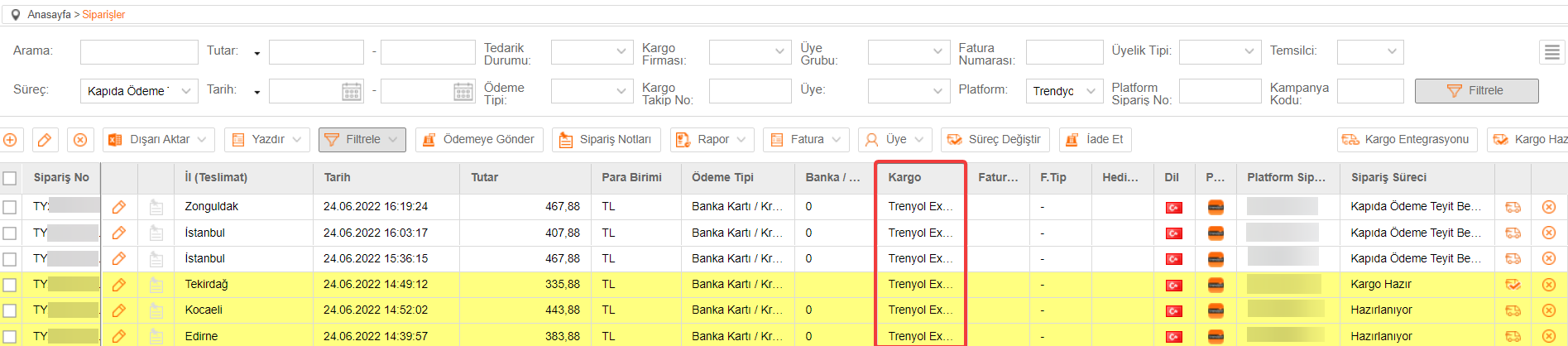
When your orders are transferred, they are transferred to the T-Soft admin panel with the cargo name you have mapped.
Cargo view in T-Soft panel: