Hepsiburada Integration Marketplace
 ChatGPT
 Claude.ai
Marketplace refers to a trade model where various sellers can present their own products or services under the same roof, usually through online platforms. It hosts a large virtual shopping demand with millions of daily customer visits and clicks.
Utilizing marketplaces can help you reach a broader audience and make sales on your e-commerce site. This way, you can increase brand awareness, gain loyal customers, and drive traffic to your e-commerce site.
ConnectProf facilitates the integration of your products with various marketplaces through API or XML. It specifically assists e-commerce businesses in managing their stores on Hepsiburada and synchronizing data. With Hepsiburada integration, businesses can automatically synchronize store inventory and product information through ConnectProf, keeping stock information up-to-date and providing customers with accurate and current information.
Orders coming from Hepsiburada can be easily managed through ConnectProf. Orders are automatically synchronized and quickly displayed to businesses, streamlining processes and making operations more efficient.
ConnectProf API services enable your business to showcase products and services across different platforms and websites, allowing your customer base to reach wider and more diverse audiences.
Being a seller on Hepsiburada comes with several advantages:
1. **Large Customer Base:** Hepsiburada is one of Turkey's largest e-commerce platforms, reaching millions of customers, providing your business with access to a wide customer base, thereby increasing sales.
2. **Infrastructure:** Hepsiburada offers a secure payment infrastructure, logistics services, and customer support, allowing your business to operate more reliably and professionally.
3. **Visibility:** With a platform that attracts a significant number of daily visitors, your products gain more visibility, making it easier to reach potential customers.
4. **Marketing Opportunities:** Hepsiburada provides marketing and advertising opportunities for sellers. You can create advertising campaigns to highlight your products and reach potential customers.
Before transferring products to Hepsiburada, consider the following:
### Image Guidelines:
- The background of the image should be white or a light color.
- The image should not contain text (such as free shipping, same-day shipping, etc.), logos, or watermarks.
- The image should not be a blurry or low-quality image.
- The first image of the product should typically show the product without packaging, displaying all features clearly.
- The image should not be in graphic drawing style.
- Avoid multiple directions or angles in a single image.
- The image should cover 80% of the frame.
- Avoid elements in the image that are not part of the product (except for lifestyle images).
- After removing the white background, the remaining portion should have a minimum of 250 pixels on at least one side.
- If not included with the product, other colors or patterns of the product should not be present. Only the product for sale should be in the image.
### Product Name Guidelines:
- Include brand name, model number, and important features (e.g., Sinbo SCM-2928 Electric Turkish Coffee Maker).
- Write the complete model numbers in uppercase (e.g., 43HB3456).
- Start with the brand name and capitalize the first letter of each word.
- Include volume information in the same format (cm, kg).
- Represent numbers numerically (use 2 instead of two).
- If applicable, include the quantity information (e.g., Scotch Brite Sponge 24-pack).
- Avoid misleading information in the product name (e.g., Rejuvenating Cream).
- Do not include campaign information (free, gift, etc.).
- Exclude the seller's name.
### Product Description Guidelines:
- Each product must have a description.
- Specify box contents (e.g., TV – wall mount, HDMI cable).
- Use paragraph breaks, and do not present the entire content as plain text.
- Include material information (e.g., 100% Cotton, Wood).
- Include dimensions, measurements, etc., especially for furniture and similar products.
- Avoid including information related to delivery, contact, company names, advertisements, company links, YouTube links, etc.
### Brand Guidelines:
- The brand name should not consist of the seller's name.
- Ensure the correctness of the product brand, checking the original spelling on the web.
- Pay attention to uppercase and lowercase spellings (e.g., Lego – LEGO).
- Be mindful of punctuation marks (e.g., Faber Castell – Faber-Castell).
- Investigate whether there are duplicate brands on the platform (e.g., Dr. Brown – Dr. Brown’s).
### Barcode Guidelines:
- Ensure the accuracy of used barcodes, especially for single-catalog working.
- The barcode should consist of 13 characters and have a unique identification number for each product.
- The barcode should follow an algorithm within itself.
### Category Selection:
- Choose the correct category for each product.
- If uncertain about the correct category, check similar products on Hepsiburada for guidance.
- Each product should be sent to its relevant category.
- Choose the lowest hierarchy when making category selections.
### Price Addition Guidelines:
- Prices should comply with the specified percentage limits based on the listed price ranges.
- $0 – $50: +250%
- $50 – $100: +150%
- $100 – $200: +120%
- $200 – $500: +100%
- $500 – $2000: +90%
- $2000 and above: +80%
If the price falls outside these limits, the product will be set to zero stock/price and needs proper information to be added to make it available for sale.
### ConnectProf to Hepsiburada Integration Setup:
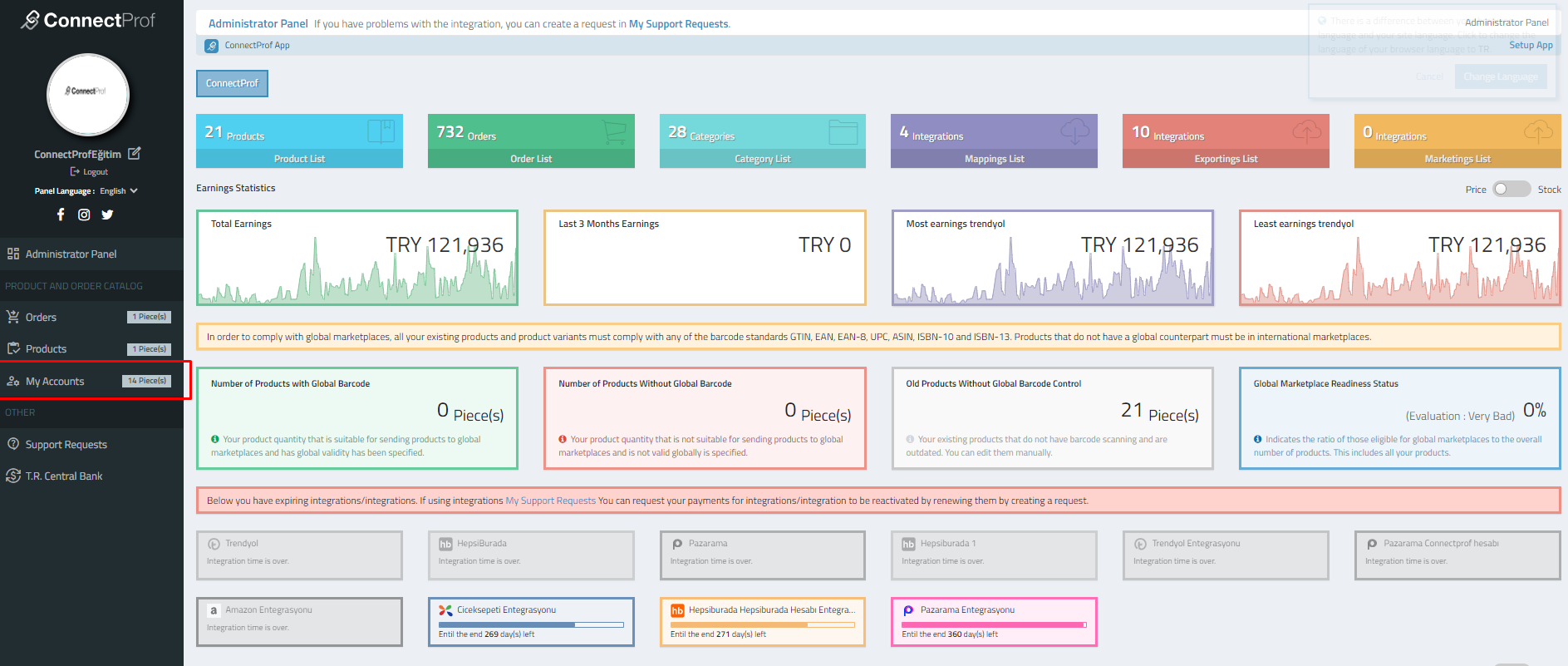
- **Account Connections:**
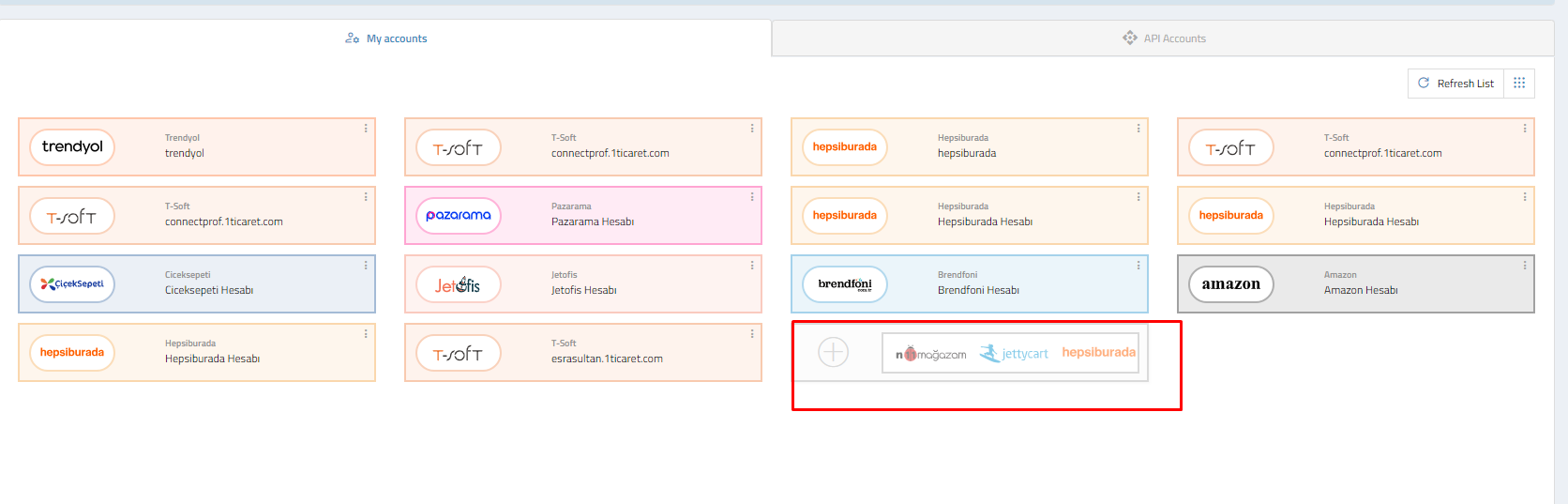
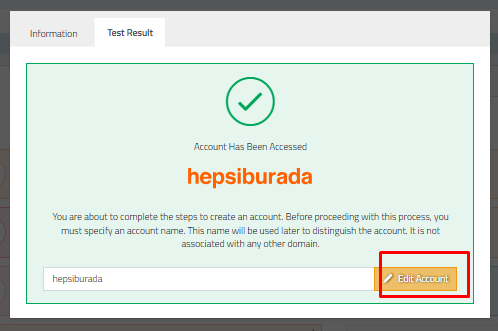
- Navigate to the "Accounts" page.
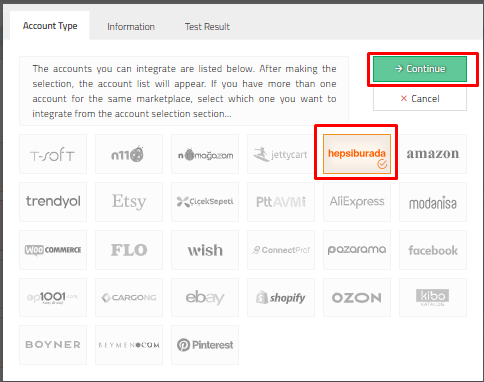
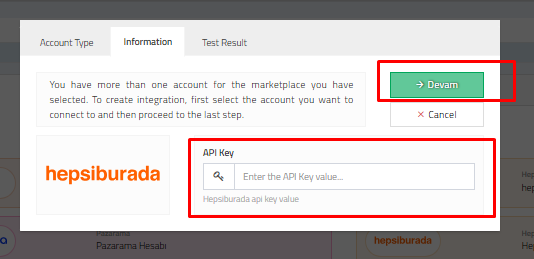
- Add a new account, select "HepsiBurada," and provide your API details.
- Conduct a test to ensure the accuracy of API information.
2. **Account Association:**
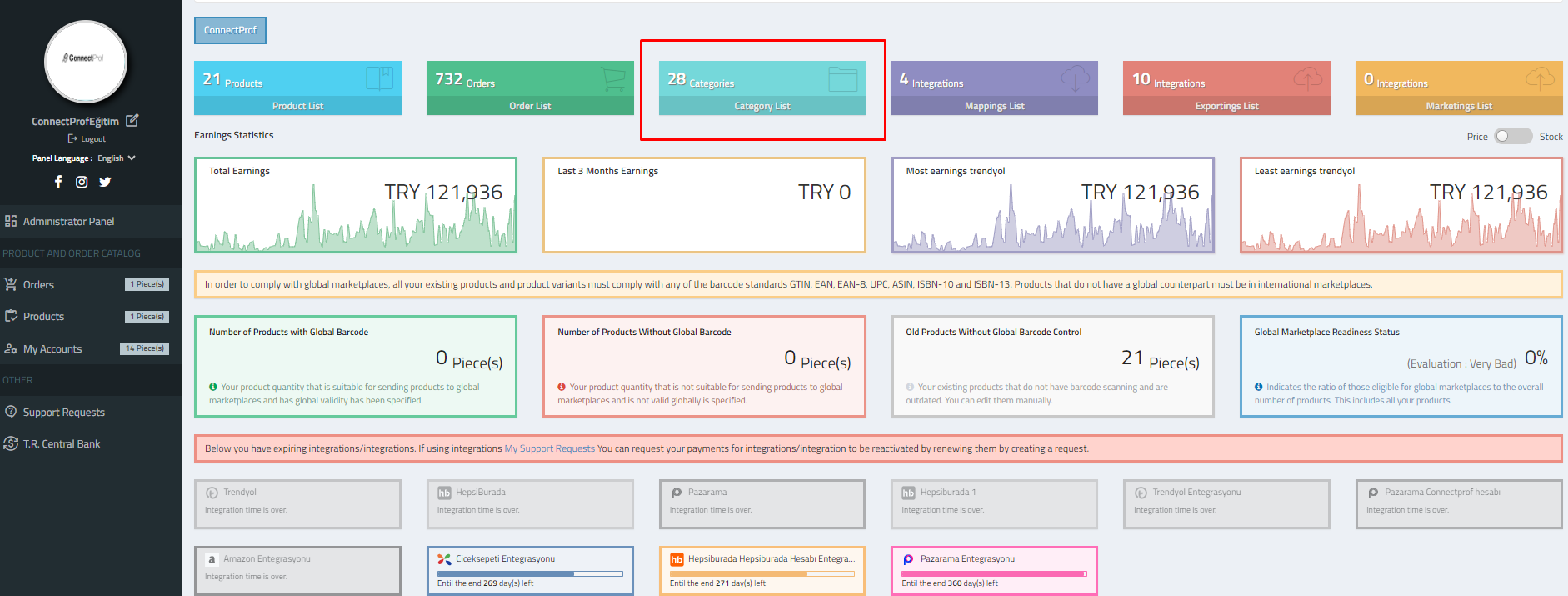
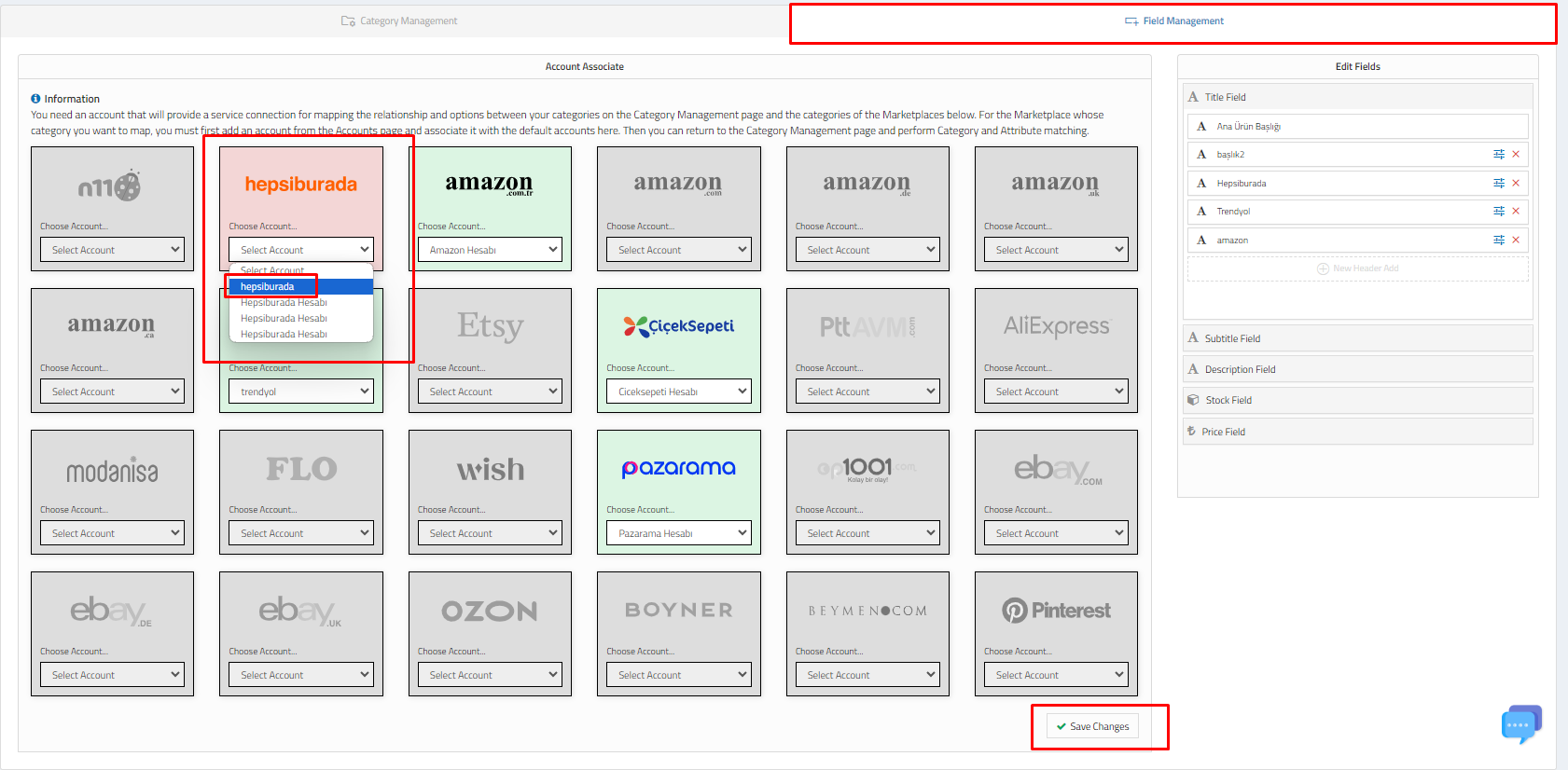
- Associate your Hepsiburada account with ConnectProf by selecting it in the category list settings.
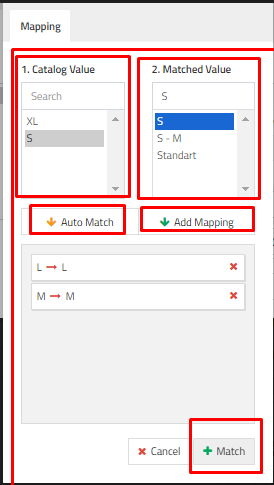
3. **Category Mapping:**
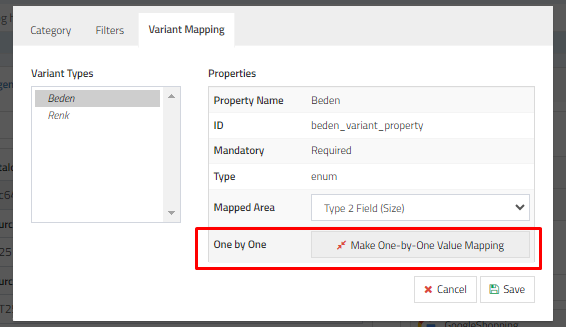
- Map your categories in ConnectProf to the corresponding categories on Hepsiburada.


4. **External Export Integration Setup:**
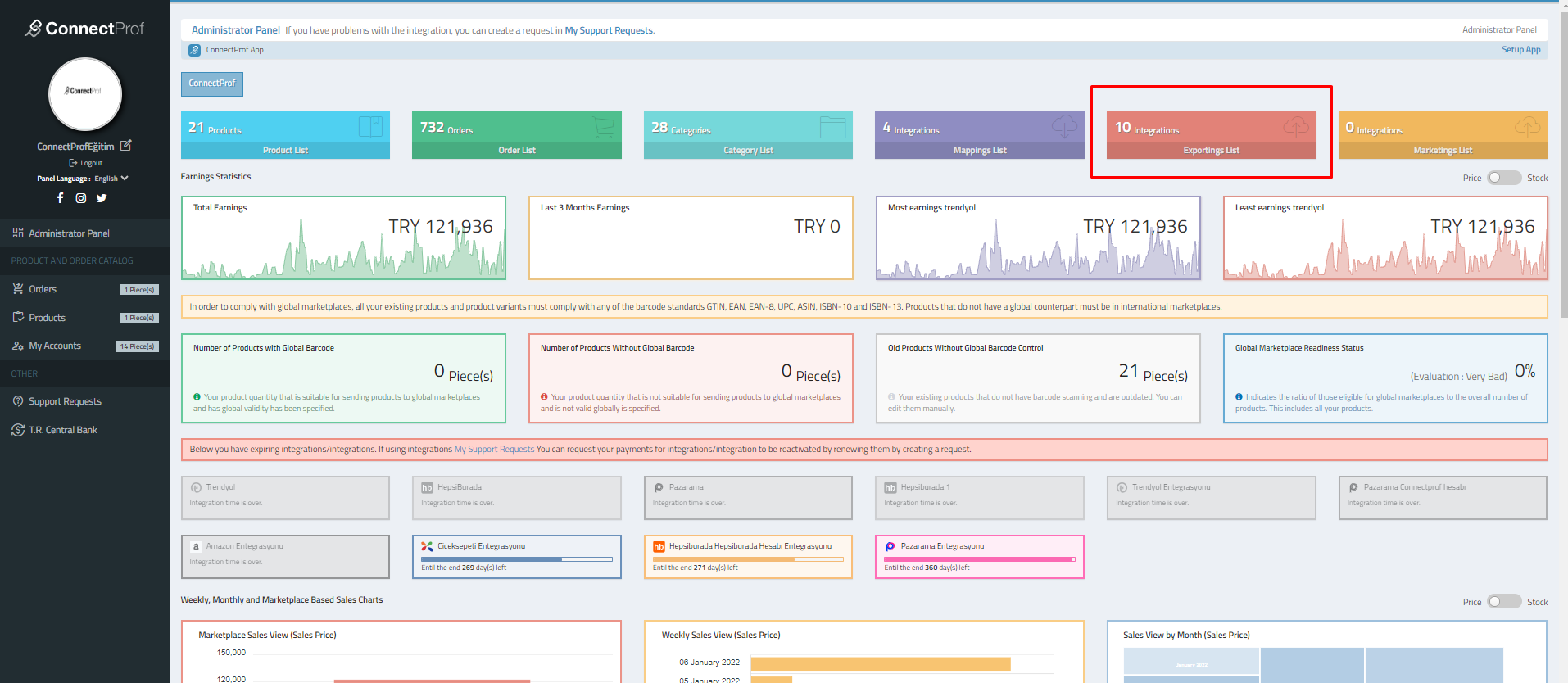
- Go to the "External Export List" to set up integration with Hepsiburada.
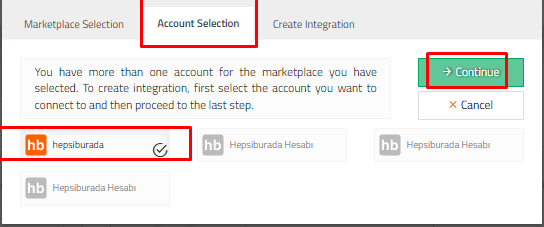
- Create a new integration, select Hepsiburada, and complete the integration setup.
5. **Configure Export Settings:**
- Set up general settings, options, commissions, exchange rates, special conditions, exclusions, newly added products, reports, and error groups in the external export integration section.
Ensure that all product information is accurate and complete before initiating the export. Verify that the mapping and integration settings align with the requirements of Hepsiburada.
This setup allows ConnectProf to integrate seamlessly with Hepsiburada, enabling the transfer of products, synchronization of inventory, and management of orders across platforms.
