How to add a Connectprof XML product?
 ChatGPT
 Claude.ai
With ConnectProf, you can transfer your products to the admin panel using XML method and transfer your products collected on a single panel to various marketplaces.
You can transfer your products to the ConnectProf management panel via XML method.
A dynamic XML link is required for XML integration. You can create this link from your e-commerce site or from different platforms where your products are located.
To find out if the XML link is compatible with ConnectProf, you can request the support team to review it from the ConnectProf management panel.
NOTE : This process depends on the license. If you have a license, you can create a support request to activate it. If you do not have a license, you can contact the sales representative about the subject.
After your products are transferred, the changing prices and stocks of your products will be updated as often as the update frequency in your package.
This process is done by the support team as the slightest mistake in the product withdrawal process may cause problems in the integration.
NOTE : Your XML compatibility must be checked before product transfer. For XML control, you can send the XML link to your sales representative as an e-mail for product transfer.
When your products are transferred to ConnectProf panel with XML, you can check your settings and updates for XML from Admin Panel > Import area.
For detailed information about Import, you can review the "Import" article. Click here to reach the article.
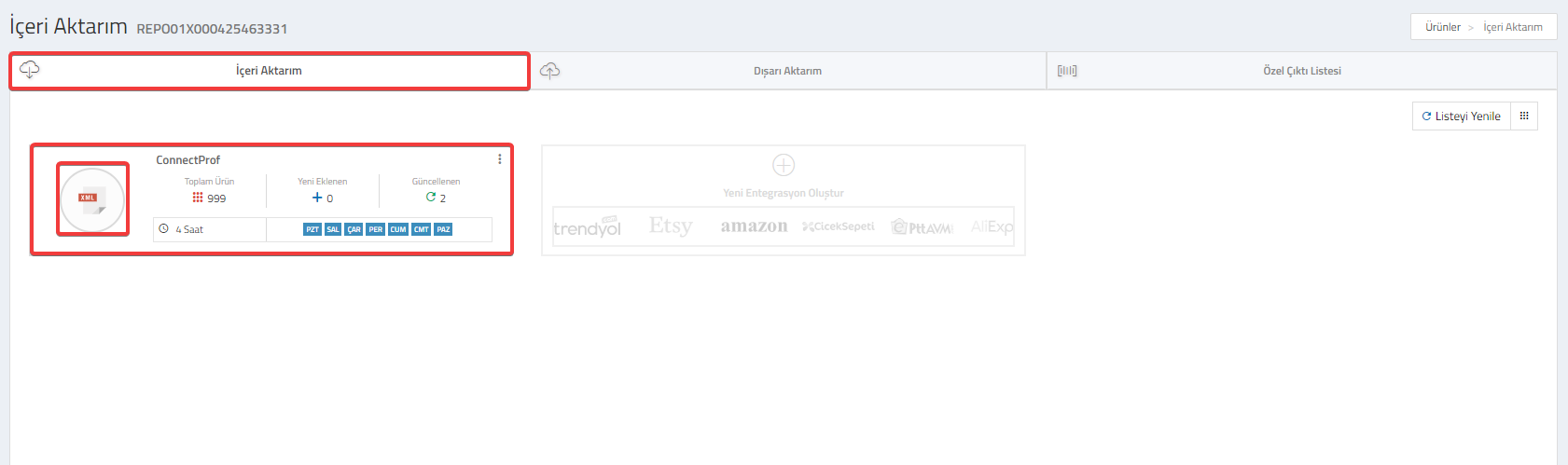
Once a day, all the data of your products will be updated automatically.
If you wish, you can also manage the selection of the fields you want to be updated.
For detailed information about making field selections to be updated, you can review the "Import - Options" article. Click here to access the article.
