Import Transfer - Options
 ChatGPT
 Claude.ai
If you are using -Soft e-commerce methods, you can transfer your products to the ConnectProf management panel via API method.
All products updated on your e-commerce site will also be updated in the ConnectProf panel.
With the Options setting, you can select the fields you want to be updated when transferring your products to ConnectProf.
To access the settings, click on the menu of the relevant integration from the Admin Panel > Import page.
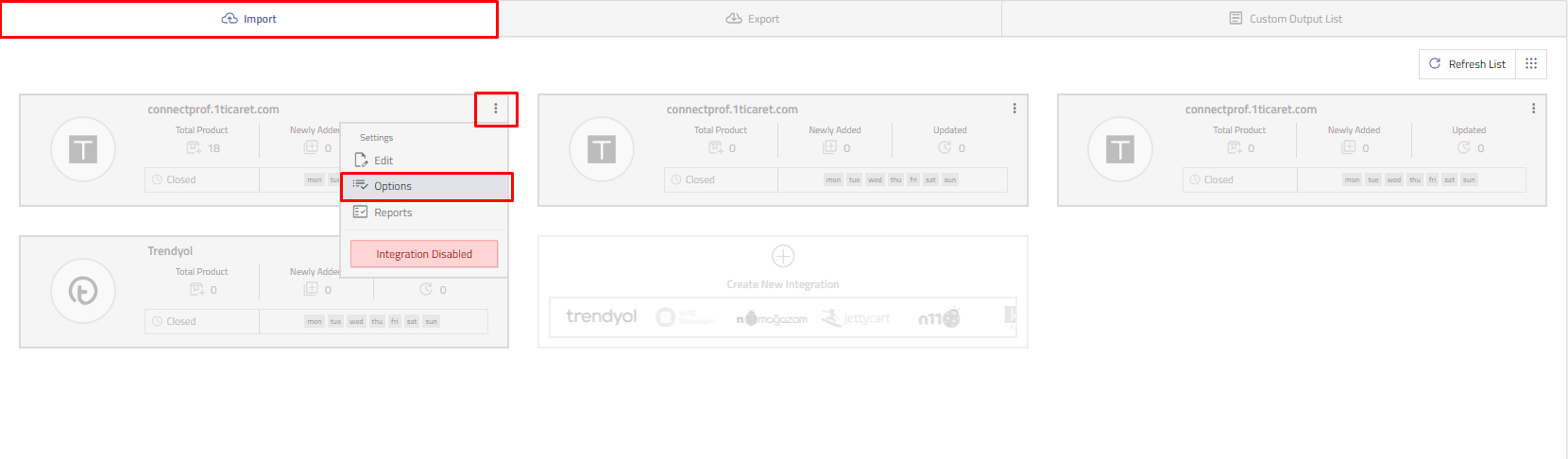
There are edit, options and reports area in the menu.
Click on the options button.
Update options will open.
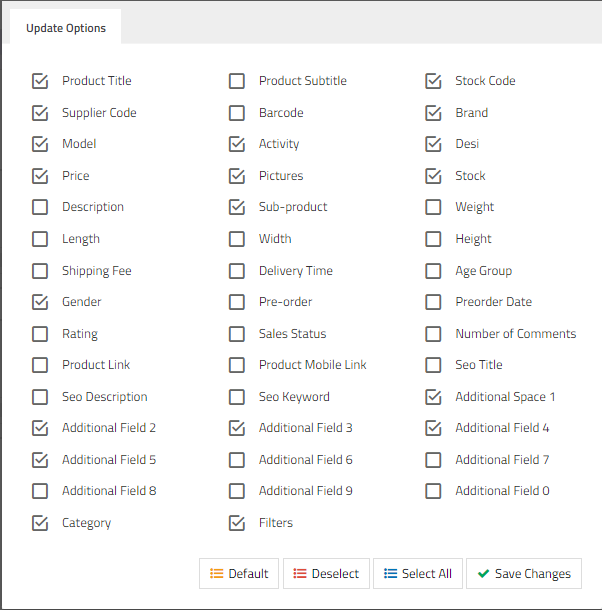
There are many options such as product title, supplier code, model, price, street, description, additional field information.
You can mark the selection of the product information you want to be updated in the panel from this field.
When transferring your ConnectProfa products from your e-commerce site, the fields you have marked will be updated.
You can review the reports to check your product and category numbers after the update.
Click here to get detailed information about the reports.
