Pinterest Integration Marketplace
 ChatGPT
 Claude.ai
Pinterest Integration Marketplace refers to a commerce model where various sellers can present their own products or services under the same umbrella, usually conducting transactions through online platforms. It hosts a large virtual shopping demand with millions of daily customer visits and clicks.
Marketplaces can help you reach a broader audience and make sales for your products on your e-commerce site. This, in turn, can increase brand awareness, gain loyal customers, and drive traffic to your e-commerce site.
ConnectProf facilitates the integration of your products into various marketplaces by pulling them through API or XML. ConnectProf is an integration platform that assists e-commerce businesses in managing and synchronizing inventory and product information for Beymen stores.
With Pinterest integration, businesses can automatically synchronize store inventory and product information through ConnectProf. This enables businesses to keep their stock status up-to-date and provide customers with accurate and current information.
Orders coming from Pinterest can be easily managed through ConnectProf. Orders are automatically synchronized and quickly displayed to businesses, making processes more efficient.
ConnectProf API services allow your business to showcase products and services across different platforms and websites, reaching a wider and diverse audience.
To set up Pinterest integration with ConnectProf, there are several steps to follow:
1. **Account Linking:**
- Create a Pinterest Seller Account.
- In ConnectProf, go to the "My Accounts" page.
- Click on the "Add New Account (+)" button, select "Pinterest" as the account type, and proceed.
- Enter Pinterest 2FA information and continue.
- The system will lead to a test result page, verifying the accuracy of API information.
Once the setup is successful, provide an account name.
2. **Account Association:**
- After Pinterest 2FA verification, associate the ConnectProf integration with Pinterest.
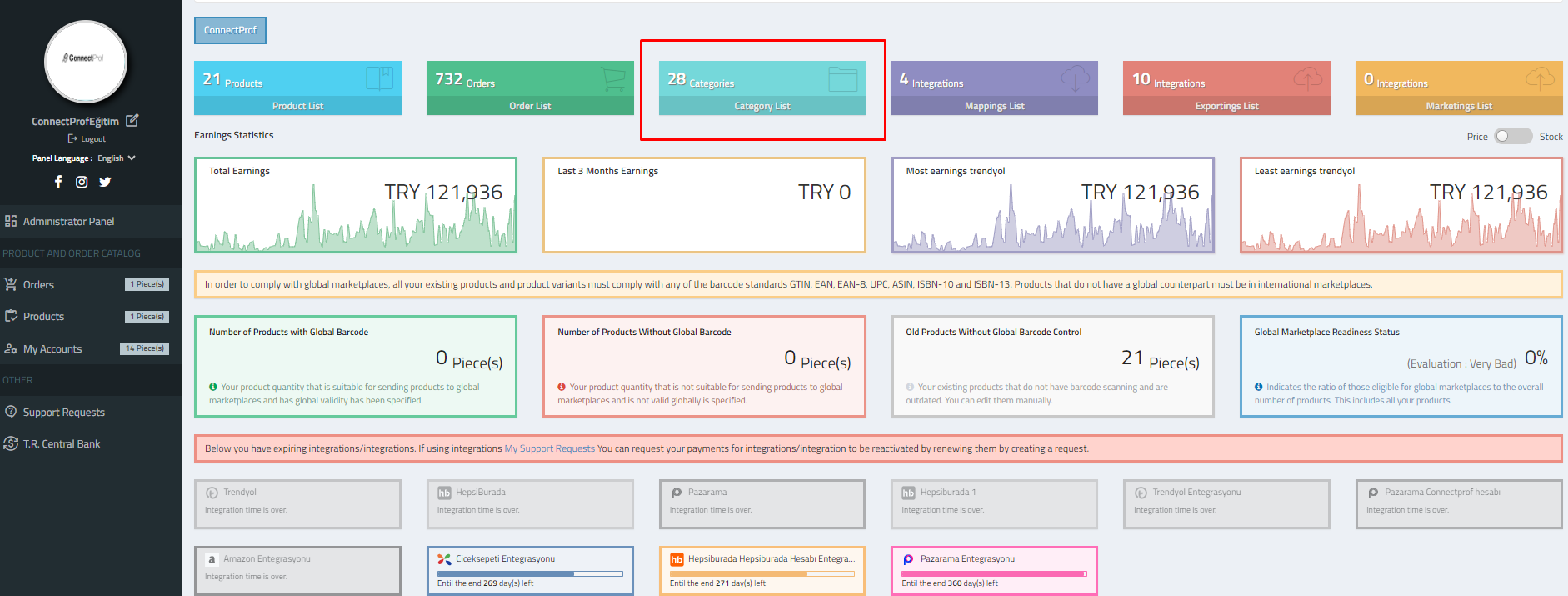
- Navigate to Category List > Field Management > Account Association in the admin panel.
- Select the added Pinterest account and click "Save Changes."
3. **Category Mapping:**
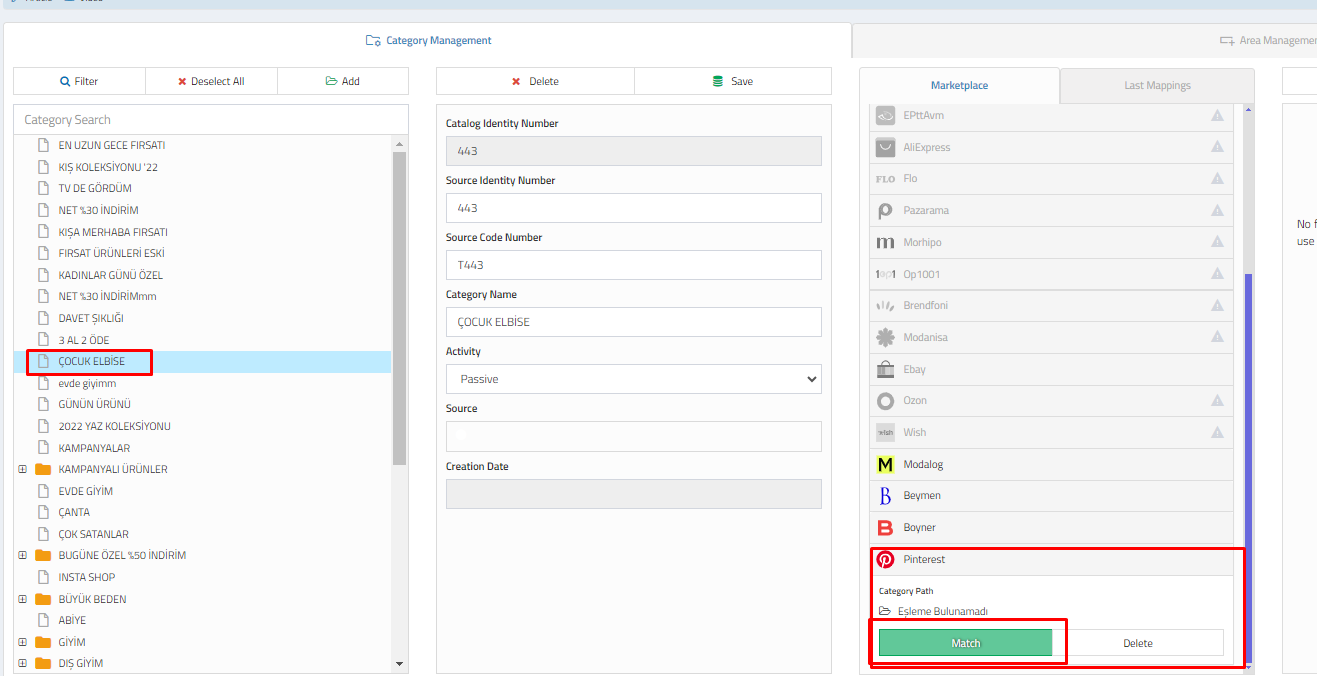
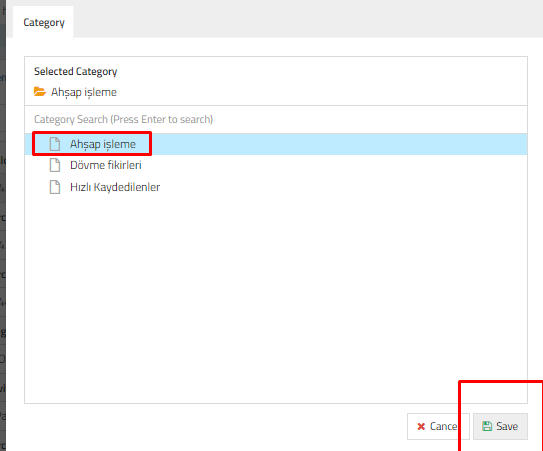
- After account linking, perform category mapping in the ConnectProf panel.
- Select the desired category for your products on Etsy.
- Click on "Match" after selecting "Etsy" in the mapping process.
4. **Export Integration Setup:**
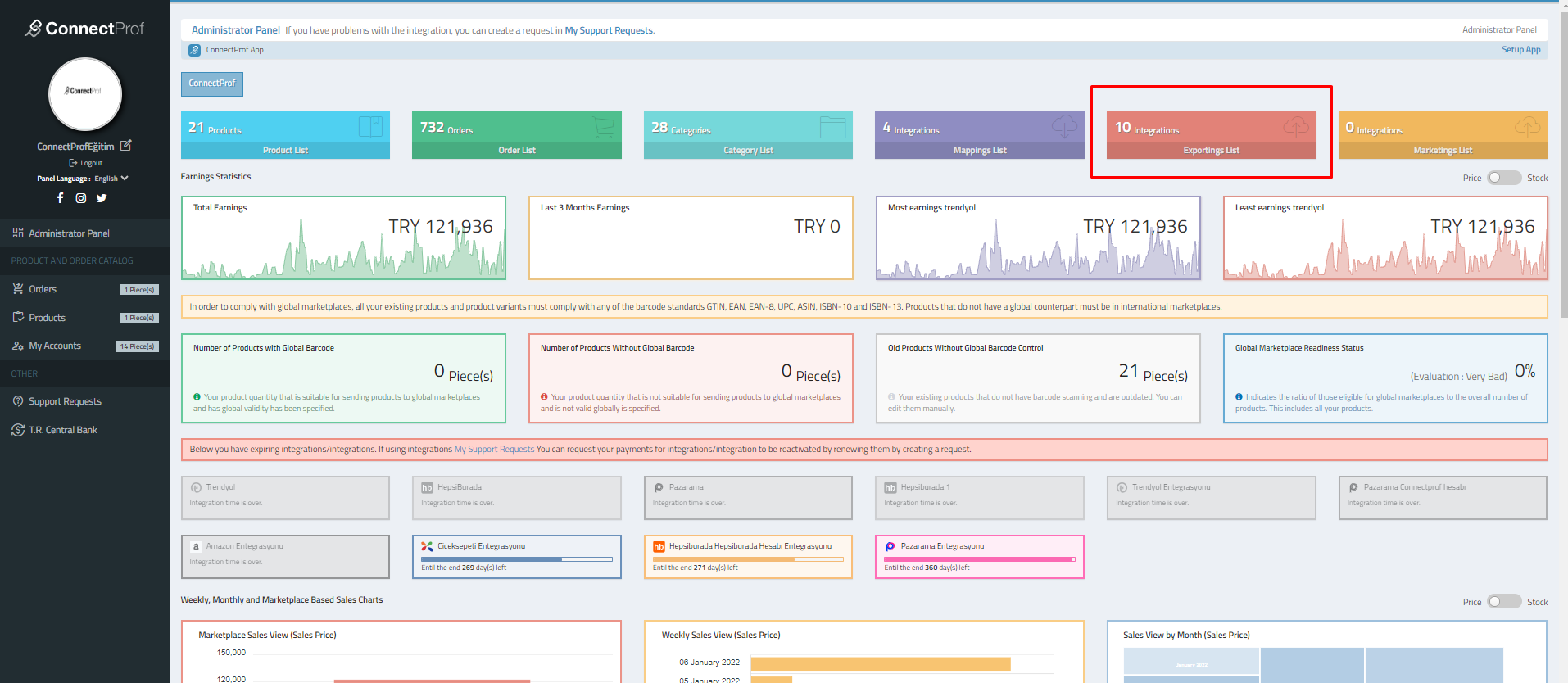
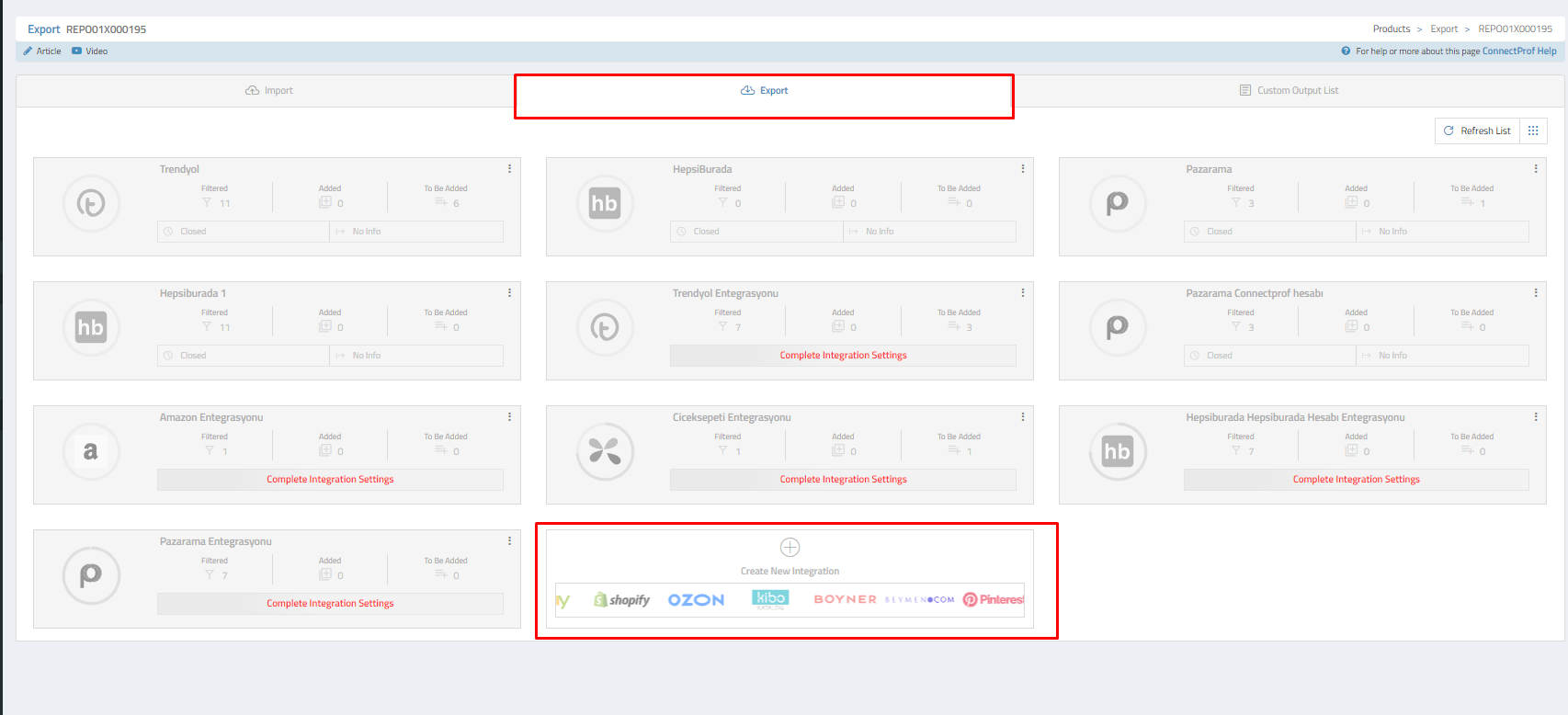
- Access the "Export List" in the admin panel to set up export integration.
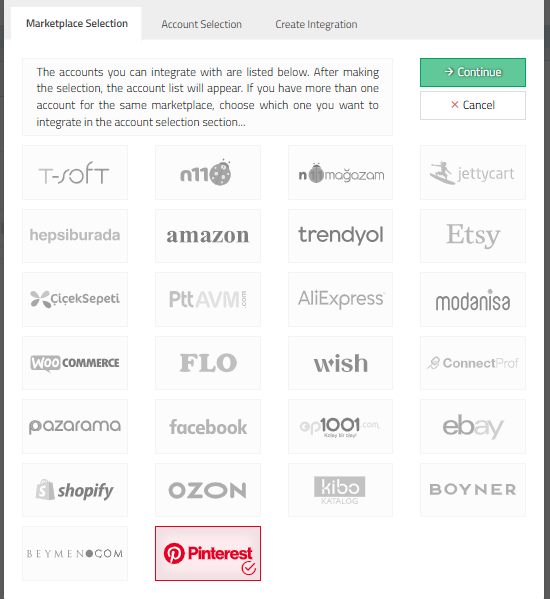
- Click on "Create New Integration" and choose "Pinterest" as the marketplace.
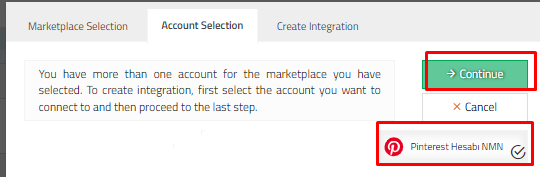
- Select the associated Pinterest account.
- Follow the steps to create the integration.
Further settings for export integration include managing general settings, options, commissions, currencies, special terms, exclusions, newly added items, reports, and error groups.
It's crucial to ensure that all information is accurate and complete during the export integration setup, as these settings will affect all products.