Product Copy
 ChatGPT
 Claude.ai
With ConnectProf, you can easily add, update and transfer your products to the marketplace. If you wish, you can copy your products with the product copy process and change only the fields you do not want.
Click on the "Products" page for product copying.
Select the product(s) you want to copy and click the copy button.
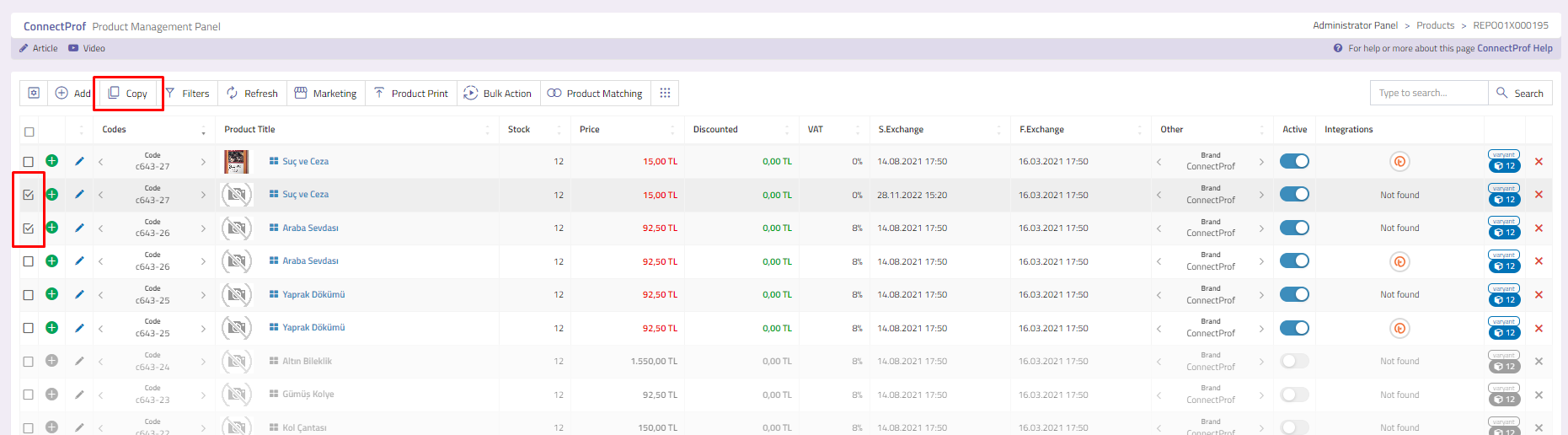
When the Copy button is clicked, a warning pop-up will appear. If you are sure of the copy operation, click the "Copy" button.
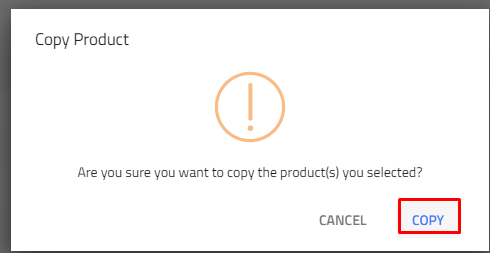
Your products will be copied. Since the code field is used in integrations, this may cause problems with the products. For this reason, you need to change the product codes by editing the product.
If you want to make changes and edit your products, you can review the "Product Editing and Updating" article. Click here to access the article.
